
Printables are here!
Pro users can now download a Printable — a clean, no-frills PDF of their Grade Table — from the calculator page or their Links dashboard.
Posted by
 Paul Allen
Related reading
Pro and Pro+ users can now create custom links to share their grade tables with others.
Introducing pro features in GradeCalculate
GradeCalculate now has pro features! We've added new features to help you calculate your grades faster.
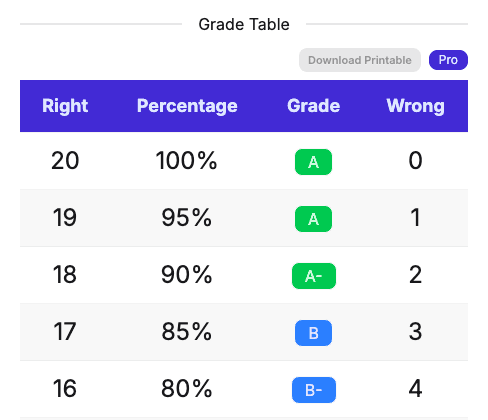
A Printable for Pro Users
Need to hand a Grade Table to someone who isn't looking at a screen? Pro users can now download a Printable — a plain PDF of the Grade Table, built from whatever options you already have turned on.
🖨️ Download from the calculator
Set up your table like normal — question count, bonus points, half or quarter points, your grade scale — then look for the Download Printable button right next to the Grade Table. One click gives you a clean PDF with the same rows and columns you've got on screen.
📎 Download from a Link
Have a Link? Every Link in your dashboard gets its own Download action too, so you can grab a Printable of any table you've already shared — no need to open the Link itself first. Haven't set one up? Read about Custom Links — another Pro perk for sharing Grade Tables.
🎉 Want a Printable today?
Printables are a Pro feature, alongside Custom Links, extra themes, and an ad-free calculator. Upgrade to Pro today and start handing out grade tables that don't need a screen. See everything included on the features page.